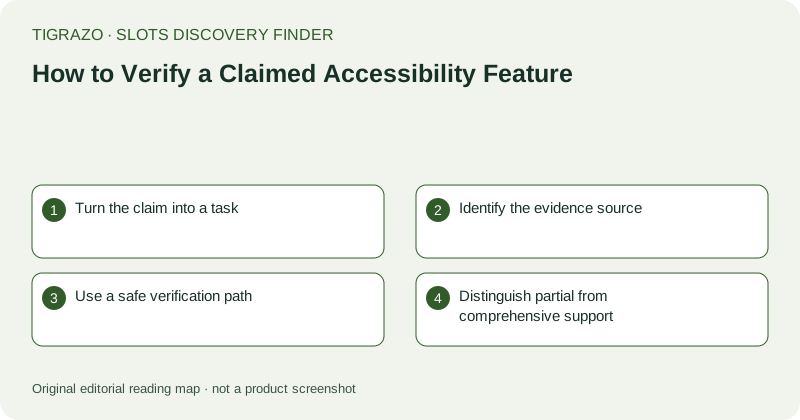
Turn the claim into a task
Instead of asking whether a game is accessible in general, identify a task such as reading a paytable, changing the stake or locating the close button without relying on colour alone. Then define the claimed capability: keyboard operation, adjustable text, distinct labels or reduced motion, for example. Different capabilities address different barriers. A sound toggle does not establish screen-reader compatibility, and large text does not prove keyboard access. Keep the claim narrow enough that evidence can meaningfully support or contradict it.
Identify the evidence source
A written feature description, a labelled setting and observed behaviour provide different kinds of evidence. A label may establish that a control exists but not that every relevant task works with it. Documentation may specify limitations that are not apparent on the opening screen. If an external assistive technology is involved, compatibility depends on the browser, device and version as well as the game. Record those conditions. Do not imply formal certification or standards compliance unless a specific, credible statement actually establishes that scope.
Use a safe verification path
Inspect non-transactional tasks first: opening rules, moving through menu items, reading labels and closing panels. Avoid paid actions as tests of access. If keyboard focus is visible, note whether it follows a sensible order and reaches essential information. If a task cannot be completed without ambiguous input, stop that test and record the barrier. Verification should not become repeated clicking, rapid reloading or a workaround that risks spending. An unresolved capability is a valid finding when the available evidence does not support further safe inspection.
Distinguish partial from comprehensive support
A hypothetical candidate might offer separate music and effects controls but no documented reduced-motion option. That supports two audio observations, not a conclusion that all sensory needs are addressed. Another candidate might allow keyboard navigation in its rules panel but not establish keyboard operation elsewhere. Write the boundary explicitly. Avoid inferring that one person would find a game usable merely because a capability exists. People combine needs differently, and a narrow discovery exercise cannot substitute for a complete accessibility evaluation across tasks and technologies.
Record an honest shortlist result
Use a record containing task, claimed capability, evidence, conditions and remaining limitation. Mark supported, partly supported or not established rather than assigning a universal pass. If the capability is essential to the brief, a partial result may be insufficient. That does not require a dramatic verdict; it simply explains the shortlist decision. Accessibility features concern access and interaction, not payout probability or financial risk. A verified setting should never be repurposed into a claim that a game is more favourable, safer to wager on or suitable for everyone.