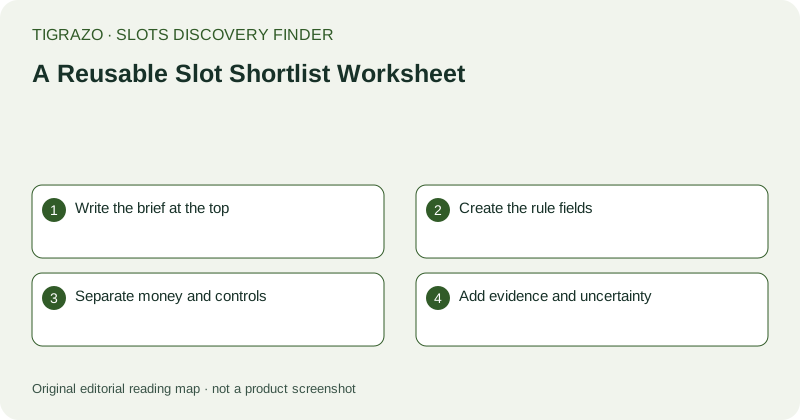
Write the brief at the top
Start with the research question and inspection conditions. Record the device or browser context where it affects readability, plus a reasonable search boundary. Then list essential requirements separately from optional preferences. For example, a hypothetical rules-reading exercise might require explicit award direction and total-stake units, while treating independent music control as optional. A blank field is acceptable if it does not apply. The heading should make clear that this is an information worksheet, not a prediction sheet or a list of games recommended for wagering.
Create the rule fields
Include layout, evaluation format, minimum qualifying pattern, wild behaviour, scatter role and key exceptions. Add the location of the supporting explanation so the entry can be checked later. Use plain language rather than copying promotional labels without interpretation. If a field cannot be completed, enter unknown and state why. For a feature, add trigger, initial state, changes, retrigger and ending rule. These fields make it easier to distinguish a complete explanation from a panel that merely contains a long list of exciting-sounding features.
Separate money and controls
Use one area for stake units, payout basis, optional purchase pricing and award caps. Use another for visibility, adjustment, confirmation boundaries and relevant sound or display controls. This prevents a convenient interface from compensating for unclear arithmetic. If you include a calculation, label it hypothetical and show its units. For instance, a hypothetical six-times-total-stake award at 0.20 equals a 1.20 payout. It is not a likely result, a claim about an actual candidate or evidence that the candidate meets any unrelated criterion.
Add evidence and uncertainty
For each essential requirement, record established, partial, absent or not established. Add a short note explaining the distinction. Absence means the evidence supports non-availability; not established means the inspection did not settle the question. If documents conflict, preserve both contexts rather than averaging their claims. Include version or mode qualifiers where relevant, especially for RTP and feature rules. This section is the worksheet's audit trail: it lets a later reader understand how the conclusion follows from the information instead of accepting a label on trust.
Finish with a disposition
Choose retain for comparison, exclude under this brief or hold pending clarification. State the reason in one sentence tied to an essential requirement or a documented trade-off. Avoid star ratings and universal best labels. The worksheet can end with no retained candidates and still have done its job well. Add a final reminder that layout, controls and feature matches do not predict awards, and that any time or spending boundaries remain independent. The deliverable is a clear shortlist record, not an obligation to act on it.